Google Adwords 101

Google Adwords 101

Google Adwords 101


Google is one of the most popular things out there in the Internet. Google dominates the field of search engines. According to a recent study, Google is responsible for generating more than 70% of the clicks to web pages that are searched through search engines.


Google has also devised a way to be able to put Internet marketing through a whole different level. Because of its market dominance, it has the capability to be able to set up a new pay-per-click system which aims at matching sellers and buyers. Google has developed what is not referred to as the Google Adwords.


What is Google Adwords?


Google Adwords is one of the most promising advertising opportunities that abound in the Internet arena. It is a pay-per-click system that advertises websites which have the highest bids for a certain search word or phrase.


If one would look at the window of an Internet browser and search something on the Google search engine, he will notice a section containing “sponsored links” at the right-hand side of the screen. These are the Adwords advertisements. These are websites which pay to be shown whenever a certain phrase or word is searched through Google.


Bidding


Business bid for their preferred keywords when they use the Adwords system. For example, a business that is engaged in selling laptops may opt to bid for search phrases such as “laptops for sale” “cheap notebooks” if they are applicable to their products.


Bidding in the Google Adwords system to get the prime spots is primarily based on two factors: the click-thru-rate and the amount of the bid. The amount of the bid will depend on the bidder himself. Bids can go as low as a nickel per click up to fifty dollars per click. The bidder must know how much to spend because the system charges the bidding price whenever the website is clicked through the Adwords system. Another factor is the click-thru-rate, or the rate by which people are clicking the website. Usually, the top three sites that are shown on the Adwords screen are the most popular and have the highest bids.


How to Engage in Adwords


If one is looking into using the Google Adwords system as an advertising tool, he can read the guidelines and the terms of conditions through the Google website. There are a few steps which we could tackle on how to start using Google Adwords.


The first step is account creation. Google will guide you through this process. However, there are several things that one should take into consideration when creating an account. He should take into mind the different strategies that he would want to employ right from the start in terms of the selection of key words and the combinations of these words to be able to maximize the returns from engaging in this endeavor.


He should also target the right market in terms of selecting the right language and countries which he would want his ads to appear. If one is selling products which would be of no use for citizens of other countries or if the option of exporting the products is not available, he might as well stick with his own country. He wouldn’t want to get charged by generating clicks from people who do not belong to the target market.


The creation of an Adgroup is also a basic step in using the Google Adwords system. One should be able to conceptualize and design an enticing advertisement and select the right combination of keywords.


Advertisements


Google will ask an advertiser what he would want to put in his advertisements. The advertisement should contain a title line and a body. The title line is composed of a maximum of 25 characters and the body should contain a maximum of two lines which contain 35 characters each.


The real challenge in designing advertisements for Google Adwords is to effectively attract customers and get them to click the website. A concise but striking advertisement is particularly efficient in getting the attention of the surfers.


Links


When a prospective customer clicks a website through the Google Adwords screen, a continuous set of efforts should be taken. The link in the Adword should not necessarily be the home page of a website but should be a web page wherein he can find information that is important to him. The link, perhaps, can be the “products” section of the website.


These are just some of the basic things that one must be able to digest to get a general feel of what Google Adwords is all about. One must be diligent in studying the different aspects of this system to be able to get the most out of it.

Jane runs the website Home-Industry

– a work at home directory which regularly reviews and updates details of the latest internet home business ideas and opportunities.


To get your own money making website set up free visit: Jane runs the website Pluginsite


To receive a free email marketing course:

mailto: home-industry@getresponse.com

Pump Traffic From Google
How to get Massive Targeted Traffic from Google for Free in 15 minutes!
Pump Traffic From Google


The Complete Guide to Google AdWords: Secrets, Techniques, and Strategies You Can Learn to Make Millions (Back-To-Basics)
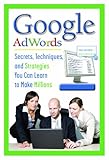
Google AdWords, when it launched in 2002 signaled a fundamental shift in what the Internet was for so many people and businesses. What was once before a concept that could, technically be profitable, had seemingly overnight become a massive cash opportunity for millions, providing the world s largest search databases in Google with more than 75 percent of Internet searches through their technology according to Pew Computer Research. That s millions upon millions of visitors every day searching f

List Price: $ 24.95

Price: $ 24.95

See how a dog daycare and boarding business gets 90% of its business through Google AdWords. adwords.google.com
Video Rating: 4 / 5

Easy Web Design Software

Easy Web Design Software

Developing a successful website that you’re proud of is not as hard as you may think. Especially nowadays, because there is software available that takes on much of the work that used to be relegated to the webmaster (which is you!).

In the past, in order to build web pages from scratch, you had to know HTML, or “Hyper Text Markup Language.” And truth be told, you are still better off knowing at least the basics of HTML. Nevertheless, it’s not required. Especially if you find easy web design software that does the main work takes care of this for you. Now, every single HTML editor on the planet now features a “WYSIWYG” interface. (What You See Is What You Get.) So, theoretically, you shouldn’t have to know the first thing about HTML tags.

The truth is, however, not all HTML editors (or “web design software”) does WYSIWYG well. Little annoying problems tend to crop up. For example, say you typed the following sentence using your handy HTML editor:

“Discover the best places to SCUBA dive in the Cayman Islands.” Say you want “best places” to be italicized and “Cayman Islands” to be bolded. Here’s what’s supposed to happen:

Behind the scenes, your HTML editor is supposed to ‘type’ the phrase as such: Discover the best places to SCUBA dive in the Cayman Islands. (Extra spaces were added between the tags for this example, in order to keep the article publishing software from handling it like normal HTML.)

But instead, this is what you get: “Discover the best places to SCUBA dive in the Cayman Islands.” Even though you highlighted the words “best places” and clicked the little graphical icon on your html editor’s toolbar that represented italics, your phrase comes out non-italicized. And your bolded words are not bolded.

Well, in this instance, you’d have to go to the “Source View” of your HTML editor and manually insert the above HTML tags to make these things happen. This is a very annoying problem with too many popular web design software titles nowadays.

Another problem that will have you pulling your hair out, is seeing a totally different result in the web browser than you see in your HTML editor window. For example, your formatting changes are (apparently) taking effect as you type–just as it should (remember it’s advertised as WYSIWYG)…

However, they don’t show up when you publish the page to the internet! I don’t know why, but this problem still plagues most web design software to this day.

Lucky for you, there are a few (very few) good software titles that work for cheap, while doing all the other things to make your site professional and (if you want) draw visitors by the hundreds.

If you’ve built a few websites that aren’t getting the traffic you expected, perhaps you’ve unknowingly made one of the 10 common web design mistakes. But you should also ensure that you’re using the best web design software. What you want is easy to use web page design software that also produces stunning, ‘sticky’ websites.

Web Traffic Machines
SEO and Traffic generation software that will send swarms of web traffic to your site from many different sources. Easy to use, no experience required. Underground marketers use these traffic tools to get thousands of free visitors daily!
Web Traffic Machines


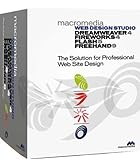
Web Design Studio 4

  • Suite includes Dreamweaver 4, Fireworks 4, Flash 5, and FreeHand 10
  • Dreamweaver 4 for creating and managing Web sites
  • Fireworks 4 for creating and optimizing Web graphics
  • Flash 5 for low-bandwidth Web sites, engaging graphics, and more
  • Powerful productivity features for graphic designers with FreeHand 10

Price:

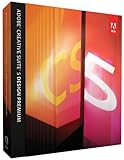
Adobe Creative Suite 5 Design Premium Upgrade from CS4 [Mac]

  • Adobe Creative Suite 5 Design Premium combines Photoshop CS5 Extended, Illustrator CS5, InDesign CS5, Flash Catalyst CS5, Flash Professional CS5, Dreamweaver CS5, Fireworks CS5, and Acrobat 9 Pro
  • Achieve painterly effects with lifelike brush strokes in Photoshop Extended and with expressive vector-painting tools in Illustrator, or easily create eye-catching 3D artwork with new Repousse in Photoshop CS5 Extended.
  • Work faster and more efficiently using more precise image selection tools in Photoshop Extended, variable-width strokes in Illustrator, and intuitive object selection features in Adobe InDesign.
  • Use new Adobe Flash Catalyst CS5 to transform Photoshop and Illustrator artwork into high-quality interactive content and navigation components for web pages and user interfaces without writing code.
  • CS Live online services link your desktop design software to the Internet to boost efficiency in activities that support day-to-day design and production. CS Live online services are complimentary for a limited time.

UPG CS5 ADOBE DESIGN PREMIUM 5 DVD 1 VER BACK MACINTOSH FROM CS4Adobe Creative Suite 5 Design Premium software gives you powerful new creative tools for crafting artwork that stands out. Finish work faster with numerous enhancements to the tools you use every day. And with new Adobe Flash Catalyst, you can extend the reach of your designs to new media without writing code. Upgrade from CS4 to Adobe Creative Suite 5 Design Standard Customers who have a license for Creative Suite 4 Design Premium

Rating: (out of 1 reviews)

List Price: $ 599.00

Price: $ 580.98

Adobe Creative Suite 5 Design Premium Upgrade from CS2/CS3 [Mac]

  • Adobe Creative Suite 5 Design Premium combines Photoshop CS5 Extended, Illustrator CS5, InDesign CS5, Flash Catalyst CS5, Flash Professional CS5, Dreamweaver CS5, Fireworks CS5, and Acrobat 9 Pro
  • Achieve painterly effects with lifelike brush strokes in Photoshop Extended and with expressive vector-painting tools in Illustrator, or easily create eye-catching 3D artwork with new Repousse in Photoshop CS5 Extended.
  • Work faster and more efficiently using more precise image selection tools in Photoshop Extended, variable-width strokes in Illustrator, and intuitive object selection features in Adobe InDesign.
  • Use new Adobe Flash Catalyst CS5 to transform Photoshop and Illustrator artwork into high-quality interactive content and navigation components for web pages and user interfaces without writing code.
  • CS Live online services link your desktop design software to the Internet to boost efficiency in activities that support day-to-day design and production. CS Live online services are complimentary for a limited time.

UPG CS5 ADOBE DESIGN PREMIUM 5 DVD F/ 2/3 VER BACK MACINTOSH FR SUITESAdobe Creative Suite 5 Design Premium software gives you powerful new creative tools for crafting artwork that stands out. Finish work faster with numerous enhancements to the tools you use every day. And with new Adobe Flash Catalyst, you can extend the reach of your designs to new media without writing code. Upgrade from CS2/CS3 to Adobe Creative Suite 5 Design Standard Customers who have a license for Creative Suite Design

Rating: (out of 1 reviews)

List Price: $ 799.00

Price: $ 750.99

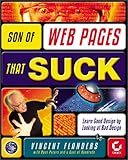
Son of Web Pages That Suck: Learn Good Design by Looking at Bad Design

From Vincent Flanders, co-author of the best-selling Web Pages That Suck, comes an all-new, irreverent look at the web’s worst. Whether you’re designing a site for your digital photos or in charge of your Fortune 500 company’s web presence, you need to read Flanders take on the many mistakes that undermine some of the best-known sites on the web. Within these full-color pages, you’ll: TREMBLE at the horror of Mystery Meat Navigation RUN SCREAMING from splishy splashy Flash pages CONQUER

Rating: (out of 18 reviews)

List Price: $ 45.00

Price: $ 6.87

Question by slb936: Which is the Best/Easiest Web Design Software to use?
I am beginning in the web design business, Which software is the easiest and which one has the most creative designs? I am looking into Dreamweaver CS3 how is this to work with?
Also with web design software is there a place to link to you domain name (nameservers setting?)

thanks.

Best answer:

Answer by Cole
I’m not really sure if you’re a big business, but for small time stuff, you could go to webs or blog.com. If you want your own domain name though, (and you’re still a small business) you could use iWeb, which allows you to upload to your own server. These are both graphic design methods, so they’re not the most flexible.

Add your own answer in the comments!

More Web Design Software Articles