Most popular Video Marketing eBay auctions:

Most popular Video Marketing eBay auctions:
Web Design Vs Functionality
The debate of design vs functionality is highly important in the web design community, and open to much discussion. Ultimately it seems a balancing act between creating a visually impressive website without jeopardising the usability is essential.
If the website seems to be tricky to navigate then customers are likely to leave the site altogether, which defeats the object of having a web presence to promote your company and increase sales in the first place.
After some research we have discovered that functionality goes hand in hand with knowing your target audience. This is key to the design of the entire site, as designers will need to make the website accessible and appealing to this market.
For example, a website built for information or to promote services to the older generation of online user’s needs clarity, bold navigation which easily guides the viewer through the website and doesn’t alter from page to page – both of which will reassure the user. Coupled with this a predictable and logical layout, with a design that compliments the content, are also required.
Evidently this particular generation of web users will utilise websites such as the BBC, NHS or an ecommerce site like John Lewis, which all ensure functionality takes precedence over groundbreaking website designs.
For the younger target audience or the design community, an opportunity to be creative and experiment with the parameters of web design is present. They can either be for an individual bespoke client or a portfolio site.
Some of the most innovative designs are evident in portfolio sites especially for creative industries, obviously website design as well as graphic design, fashion, illustration, film and photography.
Design takes priority over the functionality here, as the designer will presume that the target audience is web savvy and capable of exploring the site with a keen eye, quickly familiarising themselves with the style and order in which the site is to be viewed in.
The user is prompted and stimulated with clever uses of flash galleries and the use of jQuery in the navigation, content and layout – all contributing to the interactivity of the site. Because of these elements it could potentially alienate the older web community from viewing a site like this, but because the designer knows the target audience this allows a free rein to showcase their skills and create a unique and exceptional website unlike anybody else’s.
There is an expectation within the design community that when you design your own portfolio website that it will be brimming with design, with functionality almost a secondary concern as the aesthetics are key. Tools such as nifty drop downs allow the site to be minimalistic yet pleasing on the eye.
So discussions of design vs functionality remain open to debate, but discovering and understanding your target audience seems a constant theme throughout. This allows the designer to gauge the balance between web design and functionality, and which should take priority.
Web Design KC specialises in designing functional and attractive websites – with the latest search engine optimisation tactics incorporated as standard – in Birmingham, Solihull and the rest of the West Midlands.
Photoshop Flyer Design
Learn how to use Photoshop to create awesome event and party flyers that you can sell for a profit! Not only will you learn how to use Photoshop to create flyers but you’ll also learn how to make a profit on every flyer that you design.
Photoshop Flyer Design
It’s been known for years that usability testing can dramatically improve products. But with a typical price tag of ,000 to ,000 for a usability consultant to conduct each round of tests, it rarely happens.
In this how-to companion to Don’t Make Me Think: A Common Sense Approach to Web Usability, Steve Krug spells out an approach to usability testing that anyone can easily apply to their own web site, application, or other product. (As he said in Don’t Make Me Think, “It’s not rocke
Rating:  (out of 23 reviews)

List Price: $ 35.00
Price: $ 18.99
As both the Web and the browsers used to navigate it mature, work-arounds that compensate for the myriad factors that affect Web page appearance no longer cut it. Users expect Web pages to look beautiful regardless–and with the Fifth Edition of this popular Visual QuickStart Guide, you can make your Web pages comply. By following the generously illustrated, step-by-step instructions that are the hallmark of the Visual QuickStart series, you’ll create beautiful code that works consistently acros
Rating:  (out of 216 reviews)
List Price: $ 21.99
Price: $ 18.58
“While you’re reading Neuro Web Design, you’ll probably find yourself thinking ‘I already knew that…’ a lot. But when you’re finished, you’ll discover that your ability to create effective web sites has mysteriously improved. A brilliant idea for a book, and very nicely done.”
— Steve Krug, author of Don’t Make Me Think!
A Common Sense Approach to Web Usability
Why do people decide to buy a product online? Register at your Web site? Trust the information you pr
Rating: (out of 20 reviews)
List Price: $ 24.99
Price: $ 12.45
Question by Selvakumar V: How to collect web design requirements from customer?
I planned to do web design projects at my own. I need to interact with the customer & need to collect requirements from them and I will design web pages for them. Please help me to make it well.
Best answer:
Answer by Akira Matsushima
The most effective way to obtain the requirements is through interviews. Make an appointment with you customer and ask them what they want on their website. Prepare the questions well in advance.
Type of questions:
1. Functional Requirements
– This basically tells you what the website should do and how does it functions.
– Example: What the website do? What is it for? What function should be there?
2. Non-Functional Requirements
– This is not about the functionality of the website rather than it relates to how should the website looks and anything that is not in the functional side.
– This requirements if it is not done the website will still function perfectly as it was intended to.
– Example: Whats the website layout? Whats the color theme? What is the tolerable amount of time for the website to response to a request.
These are some basic yet the most important requirements you need to know.
You can always search at Yahoo! and Google for a more detailed design/software/ website requirement document sample and template.
Give your answer to this question below!
Most popular Article Marketing eBay auctions:
How to Build Free Websites
If you have few web design skills or none whatsoever and want create an online presence, website templates are perhaps the best option for you. There are many services offering professional-quality website templates for free, enabling you to build your own, fully-functional site in just a few minutes.
In most cases, these free templates have been designed by highly experienced professionals who appreciate the fact that users may want a design that is so easy to use, that all they would need to do is to drag and drop the elements to build their own free website. Essential tasks, such as the coding, design and layout are all taken care of, allowing users to concentrate on putting together an easy-to- edit, professional-looking website with no need to learn any complicated computer programming language.
With free website templates, all you have to do is to select a theme, choose a name for your site, add your logo, input your images and text and make your new website live. Yes, it’s that simple! A beautifully designed, professional-quality and easily navigable website, using free templates can take as little as five minutes. It doesn’t matter whether you’re hoping to build a website as an individual, a small business or a commercial enterprise, as long as you can customize a free website template, you’ll be able to get online and start receiving visitors or customers within a short time.
As web templates are fully tested by experienced web designers before they’re offered to the general public, the chances of ending up with software bugs or errors in the computer code are very small. This would be a great benefit to anyone with no experience of HTML, PHP, CSS or any other programming language.
The alternative to creating a website using a template is to get a professional designer to build one for you or to do it yourself. However, there will be cost or time considerations with either option. Some professionals may charge you hundreds or even thousands for a bespoke design, depending on the complexity of the website. A do-it-yourself approach by an inexperienced web designer could lead to a range of problems, including having the menu appear on the wrong side of the page or the site not appearing online at all after supposedly publishing it to the internet!
With web templates, you can see from the very beginning what your page will look like, plus there are thousands of varied layouts to choose from. Furthermore, if you want to modify a template design, it is easy to do, without the need to ask for someone else’s help. Web templates also help you to appreciate some of the design and layout techniques in a professional website, with the potential for you to perhaps consider going on a training course in the future.
Despite the instant appeal of free website templates, one thing to bear in mind is that they will not be personal to you. The basic design and layout of a template is highly likely to be accessible by other people, so there’s a real possibility that someone else may choose the same website template design as you. That said, a good website template, whether free or paid-for, will be flexible enough for you to easily rearrange or add features to make the site unique. With some website template packages, you have the potential to create literally tens of thousands of design combinations!
Website templates are the perfect solution for people who have no web design experience or who can’t afford to pay a professional designer to build a site for them. Even if you do have a little experience in web design, choosing a website template could be a great opportunity to showcase your creative skills by customizing it to create a content-rich and user-friendly website with the potential to attract many thousands of visitors…/
About the Author:
The author writes articles on free website. For more information about web design, create websites, hosting, templates and sitemaker, new launch, web pages made easy can be found on the net.
Submit Website to Directory
Submit Website to Directory Only .00 One Time Payment!
Submit Website to Directory
Today’s Plans and Building Guides
Green, solar and energy efficient home plans, projects and building guidebooks
Today’s Plans and Building Guides
Ready-to-Use Websites
Our Ready-to-Use Websites Package is especially designed for those who need a website but don’t know how to set one up or don’t want to spend thousands getting one built. Includes Domain Name registration, Hosting, Website, Content Management System.
Ready-to-Use Websites
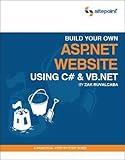
“Build impressive ASP.Net driven Websites from scratch, using freely available software”
* Learn to obtain, install and configure all the necessary software
* Build a fully functional ecommerce store and shopping cart
* Discover database and programming concepts by creating an Intranet with a dynamic navigation menu and company email newsletter
ASP.NET is one of the most popular Web Development technologies available today. As a Web Developer its becoming increa
Rating: (out of 46 reviews)
List Price: $ 44.95
Price: $ 13.58

The powerful XSitePro website design software is a feature-packed tool for creating professional websites quickly and easily.
Perfect for non-technical users, newbies and small-to-medium business owners, yet with an incredibly powerful feature-set ideal for Internet Marketers and Web professionals, XSitePro is used by tens of thousands of satisfied customers.
With dedicated customer support, detailed manuals and tutorials, video guides and one of the best Internet Marketing forums online, XSit
Price: $ 297.00
A step by step guide to building your own Joomla website complete with extensions to make your site translateable and search engine friendly
List Price: $ 1.99
Price:
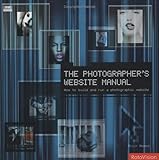
The worldwide web is an important promotional and presentation tool available to contemporary photographers, and this manual aims to show, step by step, how photographers can make the most of it. It covers building or improving websites, ensuring traffic is driven to your site, ensuring your images are well-presented on-line and income generation from the website. It also shows how to find the information you need to gain web success on the web. Using tried and tested techniques throughout, and
Rating:  (out of 2 reviews)
List Price: $ 25.00
Price: $ 4.00
Question by Sinner: How can I build a very easy-to-use website? I need a template to edit?
I will voluntarily create a website for a cultural organisation and then I will leave this country. I need to build a website for them so that these people can add new text or pictures after me because they dont know anything about website building. I need to show them easily.
I need something like sites.google. It will be my last option.
Best answer:
Answer by Fun G
Definitely, Google Site is pretty good choice for newbie and it’s free.
http://sites.google.com/
However, if you wanted to make a professional site look, you can consider this 3-In-1 program, it’s easy to use and the functions more than Google, you can upload image gallery & video, set up the membership form, calender event …etc. your site have own Meta Tag to enhance SEO .
You don’t have to download the software, the program builder doing online. So you or they can create the site with member password login.
There has technician support team work in 24/7 if after they need help with it.http://www.securepaynet.net/hosting/website-builder.aspx?ci=1806&prog_id=LovelyApple
What do you think? Answer below!
Related Build A Website Articles

How to Have Red Hot Targeted Traffic Delivered Straight into Your Website for Massive Profits! PPC stands for Pay-Per-Click – a popular advertising technique on the Internet. Found on websites, advertising networks, and especially on search engines, PPC advertising involves sponsored links that are typically in the form of text ads.
List Price: $ 4.12
Price: